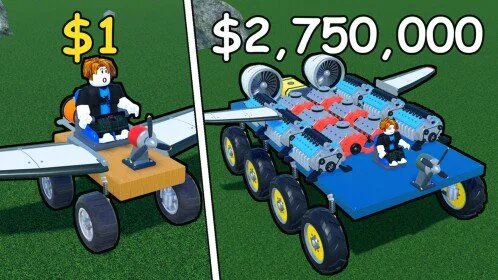
Do this first
Join the official place, build a low seat with four mirrored wheels, one centerline engine, and fuel, then finish a run. The full walkthrough, PC binds, and spend order live in the getting started guide.
- Open the getting started guide
The session-length version of the first car, including what not to buy.
- Open the build guide
Fix a tip, a spin, or an empty tank before you add parts.
- Play on Roblox
Official place 94998162120172, by Runworks.
Leave these for later
Do not wait on a promo code. None is confirmed. Do not mount wings on the only car you have. Park a ground earner, then read the flight guide.
Published starter guides
BeginnerBuild a Car to Go Far Beginner GuideUse this Build a Car to Go Far beginner guide to place a level seat, four wheels, one centerline engine, and fuel, then finish a full run before flight parts or an empty wallet.BuildingBuild a Car to Go Far: How to BuildBuild a Car to Go Far how to build: seat and frame first, then mirrored wheels, a low centerline engine, and fuel. Test one change at a time so a booster does not spin the only car that earns.BuildingBuild a Car to Go Far ControlsBuild a Car to Go Far controls on PC are W A S D to drive, number keys and left click to place parts, and Left Shift to boost. Keep steering and flight pitch small once the engine gets strong.EconomyBuild a Car to Go Far Crates and RocketsOpen Build a Car to Go Far crates only after the car can finish a fueled run. Engines and rockets are the official crate rewards; airplane crates are for builds that can already fly.EconomyBuild a Car to Go Far CoinsBuild a Car to Go Far coins follow distance, including a drip while you are offline. Finish stable runs, refuel before you quit, and spend on fuel or one tested crate instead of an unproven jet.FlightBuild a Car to Go Far: How to FlyBuild a Car to Go Far how to fly: put mirrored wings on a car that already earns, then add a centerline propeller or jet. Tap the pitch, save fuel for forward distance, and leave the money car on the ground.